
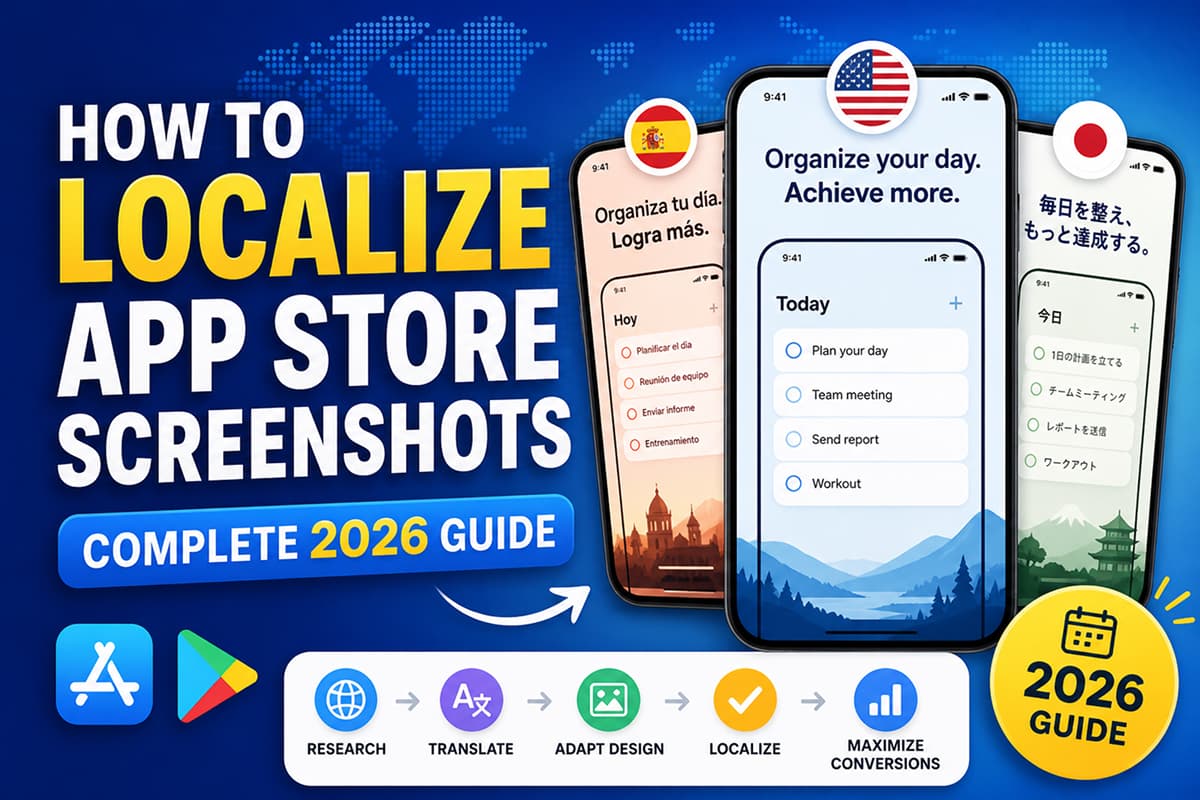
How to Localize App Store Screenshots (Complete 2026 Guide)
A practical, step-by-step guide to localizing your App Store and Play Store screenshots. Which languages to start with, how AI translation handles screenshot copy, and how to handle right-to-left languages.
English-only screenshots leave money on the table in every non-English market.
If your app is available in more than one country, your screenshots should speak the local language. Apple and Google reward localized listings with better visibility in search results, and users overwhelmingly prefer apps that have screenshots in their language. This is one of the highest-leverage changes you can make to a global app launch — and in 2026, with AI translation built into screenshot tools, it takes hours instead of weeks.
This guide explains exactly how to do it.
Why localized screenshots matter
Three things happen when you localize screenshots:
- Search visibility increases. Apple and Google index screenshot copy as part of the listing. Localized copy ranks for localized search terms.
- Conversion rate increases. Users in Brazil are more likely to install an app whose first screenshot reads in Portuguese.
- Trust increases. Localized listings signal that the developer cares about the market.
Which languages to start with
Don't try to localize into 30 languages on day one. Start with the markets that matter most for your app and expand from there.
A good first wave for most apps:
- Spanish — combined LATAM + Spain market is enormous. Use neutral "Latin American Spanish" if targeting both regions.
- Portuguese (Brazil) — high engagement market, separate from European Portuguese.
- German — premium European market with strong app spend.
- French — France + parts of Africa + Quebec.
- Japanese — top-three revenue market for premium apps.
A second wave:
- Korean — high spend, distinct market.
- Hindi — fastest-growing app market in 2026.
- Indonesian — Southeast Asia's largest single market.
- Italian, Dutch, Polish, Turkish — solid European tier-2 markets.
- Arabic — large MENA market, requires RTL handling (more on this below).
Three localization strategies
You have three realistic options.
1. Don't localize
English-only screenshots in every market. This is the default and the cheapest. It under-converts in non-English markets but is fine if you are testing a new app.
2. Manual translation
Hire a translator or use a service like Lokalise or Crowdin. Highest quality. Slowest. Most expensive. Worth it if you have one or two big markets and a paid app.
3. AI translation
One-click AI translation of screenshot copy, preserving design, fonts, and layout. This is what tools like Launch Shots ship with — translation to 100+ languages with a single click. The quality is good enough for most apps and the time-to-localize drops from days to minutes. For premium markets (Japanese, German, French) you may still want a human review pass.
How AI screenshot localization works
Modern AI localization in screenshot tools does three things at once:
- Extracts the text from each screenshot (headlines, captions, button labels).
- Translates each piece of text in context, accounting for screenshot layout.
- Re-applies the translated text into the same design, with font and layout adjustments where the translation is longer or shorter.
The result: 30 fully localized screenshot sets in the time it used to take to produce one.
Right-to-left (RTL) languages
Arabic, Hebrew, Persian, and Urdu read right-to-left. Localizing into these languages is not just a translation problem — the entire layout flips.
Things that have to flip in an RTL screenshot:
- Text alignment — left-aligned headlines become right-aligned.
- Reading order — the eye starts on the right and moves left.
- Iconography — directional icons (back arrows, sliders) typically flip.
- UI screenshots themselves — if the app supports RTL, the captured UI is already flipped.
Use a screenshot tool that handles RTL natively (Launch Shots does — Arabic and Hebrew work out of the box). If your tool doesn't, expect to redesign each screenshot manually.
Common localization mistakes
- Translating only one screenshot. Half-localized listings look unprofessional. Either localize the first three (minimum) or all of them.
- Not adjusting layout for text length. German is on average 30% longer than English. Russian and Spanish are also longer. If the headline overflows, the translation needs a smaller font or a layout adjustment.
- Using machine translation without review for premium markets. Japanese and German users are sensitive to translation quality. A native review pass is worth the time for your top markets.
- Forgetting RTL. Arabic with English-style left-aligned text reads as obviously broken to native speakers.
- Translating brand names. Your app name and brand-specific terms generally should not be translated. AI tools can usually be told to preserve specific terms.
Step-by-step: localizing in Launch Shots
- Design your screenshot set in your primary language.
- Open the localization panel.
- Select the target languages — pick all of them in one shot if you want.
- Click "Translate". Each screenshot is translated and laid out automatically.
- Review each language. Adjust layout where translations need it.
- Export each language at the App Store / Play Store dimensions.
- Upload directly to App Store Connect or Google Play Console (if your tool supports Direct Upload, which Launch Shots does).
Total time for 10 languages: about an hour, mostly review.
How to measure if localization is working
After you ship localized screenshots, check these metrics per market over the next 14–30 days:
- Conversion rate (impressions → installs) — should rise in localized markets.
- Search rankings for local keywords — should improve.
- Reviews mentioning language — anecdotal but telling.
If localized markets don't lift, the issue is rarely the translation itself — it is usually that your underlying screenshots don't communicate well, in any language. Go back and tighten the headlines and visuals first.
Design store-ready screenshots in minutes — free, no watermarks.
Launch Shots is free forever. Every template, every device frame, AI localization to 100+ languages. No credit card needed.
Start creating free →Localization is the easiest 20% lift you can apply to a global app listing. With AI translation now mainstream in 2026, the only reason not to localize is that you haven't spent the hour to do it.